
🛠️ What You’ll Need
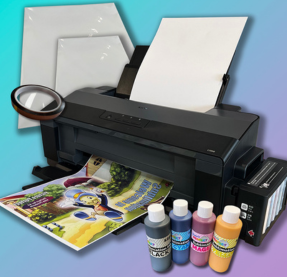
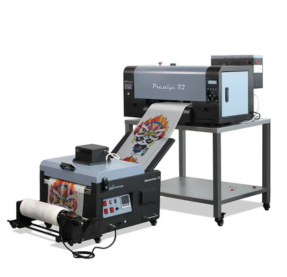
– A Sublimation Printer: Loaded with high quality sublimation ink. For the most colour accurate results, you’ll also need a colour profile that is matched to the inks and paper you are using.
– Sublimation Paper: High-quality paper ensures better ink release.
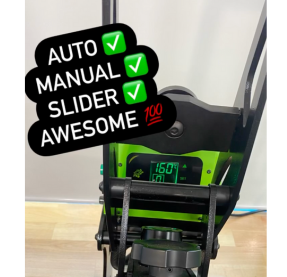
– Heat Press: A standard iron won’t work well; you need consistent pressure and high heat.
– Heat Resistant Tape: To keep your design from shifting.
– Teflon & Baking Paper: To protect your press and the shirt from “blowout” ink.
– Lint Roller: Crucial for removing invisible polyester fibres.
– White or Light Coloured 100% Polyester Shirt or Fabric: Sublimation doesn’t use white ink in the printing process, so any white elements in your design will rely on the colour of the fabric. And because sublimation is dyeing the fabric, colours will change if you attempt to sublimate fabrics that aren’t white. If you must use a darker fabric, stick to designs that are a solid black.
📝 Step By Step Instructions
1. Prepare Your Design
– Mirror the Image: This is the most common mistake! Always flip your design horizontally before printing so it reads correctly once pressed onto the shirt.
– Print Settings: Use “High Quality” or “Presentation Paper Matte” settings to ensure the printer lays down enough ink. If using our Epson Sublimation Printers, select Epson Matte as the Paper Type and Best Print Quality.
2. Prep the Shirt
– Lint Roll Thoroughly: Even if the shirt looks clean, tiny fibres often cling to polyester. If pressed, these can turn into permanent dots on your garment.
– Pre-Press: Press the shirt for 5–10 seconds at your target temperature. This removes moisture and flattens wrinkles for a smooth canvas.
3. Alignment and Securing
– Insert a Buffer: Place a piece of baking paper inside the shirt, or ‘thread’ the shirt around your base platen (if your press supports this) so that only the side to be pressed is on top of the base platen. This prevents the ink from bleeding through the side being pressed onto the opposite side.
– Positioning: Place your printed design face down on the shirt.
– Tape it Down: Use heat-resistant tape on the corners. If the paper moves even a millimeter when you open the press, you’ll get a “ghosting” effect (a blurry shadow around the image).
4. Time to Press!
– Temperature: Set your heat press to 195°C – 200°C.
– Time: Press for 45–60 seconds.
– Pressure: Use Medium pressure. You want enough to hold the paper flat, but not so much that you leave deep “press lines” from the paper edges.
– Top Layer: Cover the top of your sublimation paper with a sheet of Teflon, or another sheet of baking paper to protect the heating element from any ink staining.
– Testing is important! The quality of polyester can vary greatly. Even different weave styles can mean slight changes in your pressing time, temp or pressure. If you haven’t previously worked with the material you’re using, always test first and make adjustments based on the below common issues.
5. The Reveal
– Hot Peel: Once the timer is up, lift the press slowly.
– Remove Quickly: Pull the sublimation paper off in one smooth motion while it’s still hot.
Common Issues
Sublimation is part science, part art, and a tiny bit of magic—which means things can go sideways occasionally. Here is how to fix the “Big Three” issues that usually haunt a project.
👻 1. Ghosting (Blurry or Double Images)
The Cause: The sublimation paper shifted while the ink was still in its gaseous state. This usually happens when you lift the heat press too quickly when your transfer isn’t taped securely or if the paper slides when you’re checking the result.
The Fix: Use more Heat Resistant Tape. Don’t be shy with it; anchor the design firmly.
The Hot Tip: When you finish your press, lift the handle straight up slowly. If you have an auto-release press that lifts with a jolt, keep your hand on the press when it’s about to release to absorb some of the vibration.
💥 2. Blowout (Ink Stains Where They Shouldn’t Be)
The Cause: Sublimation ink turns into gas, and that gas wants to travel. “Blowout” happens when ink escapes the edges of the paper and stains your heat press platens or the back of the shirt.
The Fix: The Teflon / Baking Paper Sandwich. You need a fresh sheet of Teflon or baking paper inside the shirt, and another sheet on top of the design.
The Hot Tip: Never reuse a piece of baking paper that has even a faint hint of ink on it. That ink will “reactivate” during the next press and transfer onto your new shirt. For best reusability, use Teflon. Whilst more expensive, this can be easily wiped over and lasts much longer than baking paper.
🟨 3. Scorching or “Press Boxes”
The Cause: Polyester is essentially plastic. If the heat is too high or the pressure is too heavy, you’ll melt the fibres, leaving a shiny, yellowed, or indented rectangle which follows the edges of the heat platen or the paper.
The Fix(es):
Lower the Pressure: You only need enough pressure to keep the paper in contact with the fabric.
The “Torn Edge” Technique: Hand-tearing the edges of your paper creates a soft transition rather than a hard line. This can make it a bit trickier to line up your transfer, but is great at minimising any issues caused by the hard outline of the paper.
Pressing Pillows: Use a heat-resistant teflon pressing pillow inside the shirt. It allows the seams and the paper edges to “sink” into the pillow, distributing the pressure more evenly and preventing the hard edges of the paper or platen that can cause indentations.
🎨 4. Faded and Unexpected Colours
The Cause: Usually “moisture” or “wrong side.” Polyester traps moisture easily, which turns to steam and fights the ink gas. Can also be due to too much or too little time, or stray fibres.
The Fix(es):
Pre-press for longer: If you live in a humid area, pre-press the shirt for 10-15 seconds to ensure it is bone-dry.
Check your Paper: Ensure you are printing on the “bright white” or “tacky” side of the sublimation paper. The dull side won’t release the ink properly.
Time Check: If colours appear dull, particularly blanks which appear grey, increase the duration of the press. If Blacks appear brown, this can indicate too much time, so reduce the duration of the press.
More Lint Rolling Please: If you see tiny coloured dots, particularly blue or red dots that look like ink splatters, those are actually lint fibres that have dyed the shirt. A deeper, more aggressive lint-rolling session usually solves this.